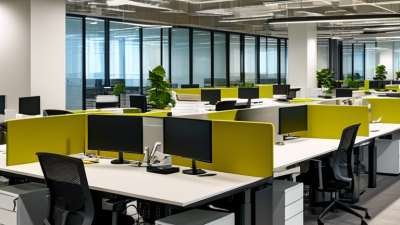
Top 10 Best Sit Stand Workstations for Every Office
A well-chosen desk can change the rhythm of a workday: a seated stretch becomes a standing call, then a return to focused typing. That flexibility is the promise of sit stand workstations, but the right setup depends on the person, the room, and the work being done. A compact home office may need a small footprint and quiet adjustment. A shared workplace may need sturdy controls and simple height presets. No desk fixes a poor routine.
Evidence supports regular movement, while also showing why expectations should stay realistic. A 2018 Cochrane review of workplace interventions found that sit-stand desks reduced sitting time by about 100 minutes per workday in the short term; the evidence was rated low quality, and longer-term effects were smaller. The review measured sitting time, not guaranteed improvements in health or productivity. That distinction matters.
This guide compares ten options across practical details: height range, stability, adjustment method, workspace, and value. Look for a tabletop that fits your monitor, keyboard, and a notebook without crowding your elbows. Check whether the frame remains steady when raised, and measure clearance beneath shelves before ordering. Small details count. We also consider who each workstation may suit, since an excellent desk for one office can feel awkward in another. Treat rankings as a starting point, not a prescription; personal comfort still requires testing.
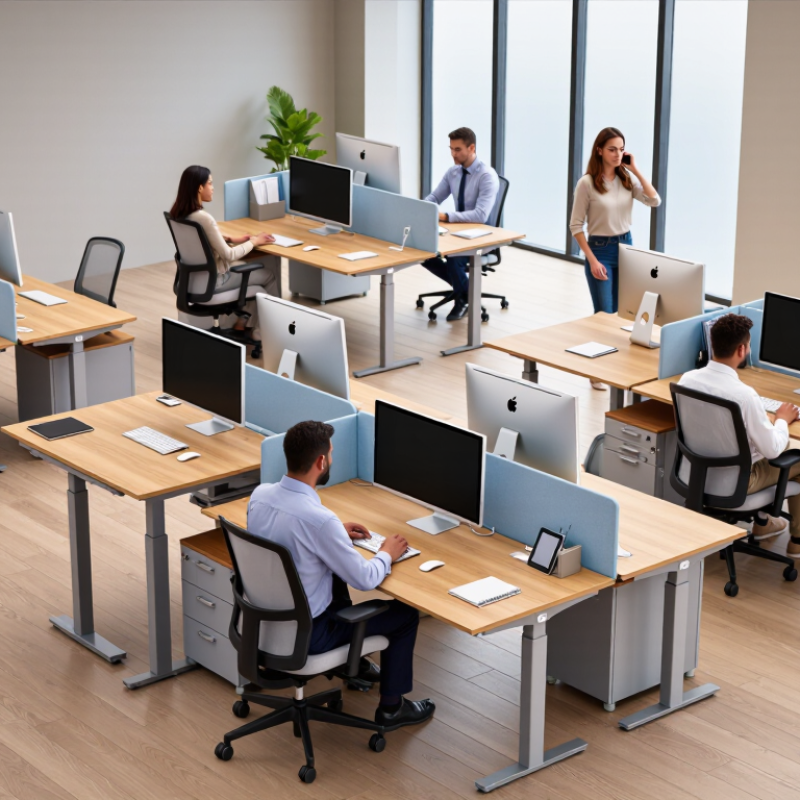
Understanding Sit-Stand Workstations and Their Role in the Office
A sit-stand workstation lets an employee change working posture without leaving the desk. Its value is not standing all day; it is making movement easier to fit into ordinary tasks. A brief standing period during a call, followed by seated work for detailed tasks, can help break up long stretches in one position. Small changes matter. The desk should adjust smoothly, and its height should let the user keep relaxed shoulders and elbows near desk level.
The rest of the setup matters, too. Place the monitor roughly at eye level and close enough to read without leaning forward. Keep the keyboard and mouse within easy reach, and check that cables do not snag as the desk moves. In a shared office, adjustable settings can accommodate different users, but people may need a little time to find comfortable positions. That takes practice. A common flaw is raising the desk once and then forgetting to change positions. Gentle reminders may help, though a rigid schedule can feel awkward during focused work. Sit-stand furniture supports healthier work habits; it does not replace breaks, comfortable footwear, or attention to individual needs.
Sit-Stand Workstations and Workplace Sitting
Pooled estimates show how much less time people spent sitting at work after using sit-stand desks.
In a Cochrane systematic review, sit-stand desks were associated with about 101 fewer minutes of workplace sitting per workday at short-term follow-up and about 58 fewer minutes at medium-term follow-up. These are pooled study estimates, not a guaranteed result for every office.
Source: Shrestha et al., “Workplace interventions for reducing sitting at work,” Cochrane Database of Systematic Reviews, 2018.
Comparing Workstation Types, Designs, and Essential Features
Sit-stand workstations differ in how much they replace and how they fit a room. Desktop risers sit on existing desks, saving space but adding weight and reducing usable surface area. Full-height adjustable desks offer a cleaner setup, though they cost more and need room for their wider frames. Wall-mounted units suit tight offices, but their fixed position can limit shared use. Treadmill workstations add movement, yet walking while typing may not suit detailed tasks.
A Cochrane review of 34 studies found sit-stand desks reduced workplace sitting by about 100 minutes per day in the short term. That is a useful signal, not a promise for every worker.
Design matters in daily use. Check the height range against the seated and standing users, and look for a stable frame that does not wobble when typing. A separate keyboard tray can keep hands level with elbows; enough depth leaves space for a monitor and paperwork. Preset controls help shared teams switch quickly. Cable management and rounded edges also matter near busy walkways.
Small details count. One compromise: a larger desktop may feel more generous but make room layout harder. I would question any setup chosen by appearance alone; test its movement, noise, and clearance with the actual chair and monitor.
Choosing a Sit-Stand Workstation for Your Space and Work Needs
Choosing a sit-stand workstation starts with the room, not the product list. Measure the available width and depth, including space for a chair, drawers, and walking paths. Check the desk’s height range against the actual users; a tall desktop is not automatically comfortable.
Measure twice.
In a shared office, adjustable height settings can help different people work without awkward shoulder reach.
Match the workstation to your daily equipment. A laptop, monitor, keyboard, and lamp need more surface area than a laptop alone. Note where power outlets sit, then check whether cables can reach without hanging across a walkway.
Small details matter.
If you use two monitors, test how their weight and placement affect balance, especially near the desk’s edges.
Stability and adjustment style deserve a practical check. A frame that wobbles while typing can become distracting, while smooth height changes make it easier to alternate positions during the day. Manual adjustment may suit lighter setups; powered adjustment can be more convenient for frequent changes, but needs a nearby outlet. I used to focus too much on advertised features and too little on floor space.
That is an easy mistake.
Check the floor surface, assembly requirements, and any height or weight limits before choosing. A brief test at sitting and standing heights can reveal reach problems that measurements miss.
Top 10 Sit-Stand Workstations for Different Office Environments
A sit-stand workstation should fit the room, equipment, and daily work—not just look adjustable. For a small home office, choose a compact electric desk with a narrow footprint; leave space for the chair to move. Small rooms need restraint. In a shared office, a programmable-height desk makes handoffs easier, though users should reset the height rather than assume one setting suits everyone. An executive office may benefit from a wide, dual-motor surface for monitors and documents. Stability matters. A clinic or reception area needs an easy-to-clean top and simple controls, while a workshop may require a higher weight capacity for tools and test equipment.
Open-plan teams can consider bench-style desks, which use floor space efficiently but offer less privacy. Corner offices often suit L-shaped workstations, provided the frame does not block drawers or walkways. A rolling sit-stand table can help in flexible rooms, but check that its casters lock securely. For occasional standing, a desktop converter is a practical option; measure the keyboard and monitor space before buying. A manual-crank desk may suit a tight budget, although frequent height changes can become tiresome. Finally, an adjustable workstation for a narrow reception counter can preserve a clear visitor-facing area. Specs can be misleading. Test the desk at both heights if possible, and consider cable slack, monitor arms, and the floor surface. A good choice is not always the most feature-rich one; small mismatches matter after a full workday.
Setting Up and Using a Sit-Stand Workstation Safely and Comfortably
A sit-stand workstation works best when it fits your body, not a showroom photograph. Adjust the desk so your elbows rest near a right angle while typing, with shoulders relaxed and wrists fairly straight. Keep the monitor directly ahead, about an arm’s length away; raise it until the top of the screen is near eye level. Small adjustments matter.
Check the details. Place your mouse close to the keyboard, and keep frequently used items within easy reach. When standing, distribute your weight across both feet and avoid locking your knees. A supportive mat may ease pressure on hard floors, but it should not wobble. Secure loose cables so they cannot catch your feet. Test the desk at several heights before loading it with equipment.
Change positions gradually. Try short standing periods, then sit when your legs or back feel tired; there is no single schedule that suits everyone. Move gently between positions, and keep water nearby. It can feel awkward at first. I still catch small setup problems only after using a desk for a while, so reassess your posture during the day. Persistent pain or numbness deserves attention from a qualified health professional.