

Why Choose Sit Stand Workstations for Your Office?
Modern offices often encourage long periods of sitting, even when employees understand the risks of remaining still. Sit stand workstations offer a practical way to vary posture throughout the working day. With one adjustment, a monitor can rise, a keyboard can move closer, and tired legs can regain movement.
Ergonomics professionals generally recommend changing positions regularly rather than treating standing as a complete replacement for sitting. This distinction matters. A height-adjustable desk cannot correct every poor habit. Screen height, keyboard distance, footwear, and movement breaks still influence comfort. In my experience, employees use these workstations more consistently when controls feel simple and transitions take only a few seconds.
The benefits may include improved posture awareness, less stiffness, and a more active office routine. However, results differ between individuals, and stronger claims require careful evidence. Some workers may stand too long, shift weight unevenly, or ignore early discomfort. That is a design problem and a training problem. Employers should choose stable equipment, provide setup guidance, and invite feedback after installation. A short trial can reveal practical issues, such as cables pulling when the desk rises or a chair blocking movement.
Why choose sit stand workstations? The answer is not constant standing. It is creating more options during focused work, meetings, and routine tasks. Used thoughtfully, they can support healthier habits without promising perfection. That may be their most credible advantage.
What Are Sit-Stand Workstations and How Do They Work?
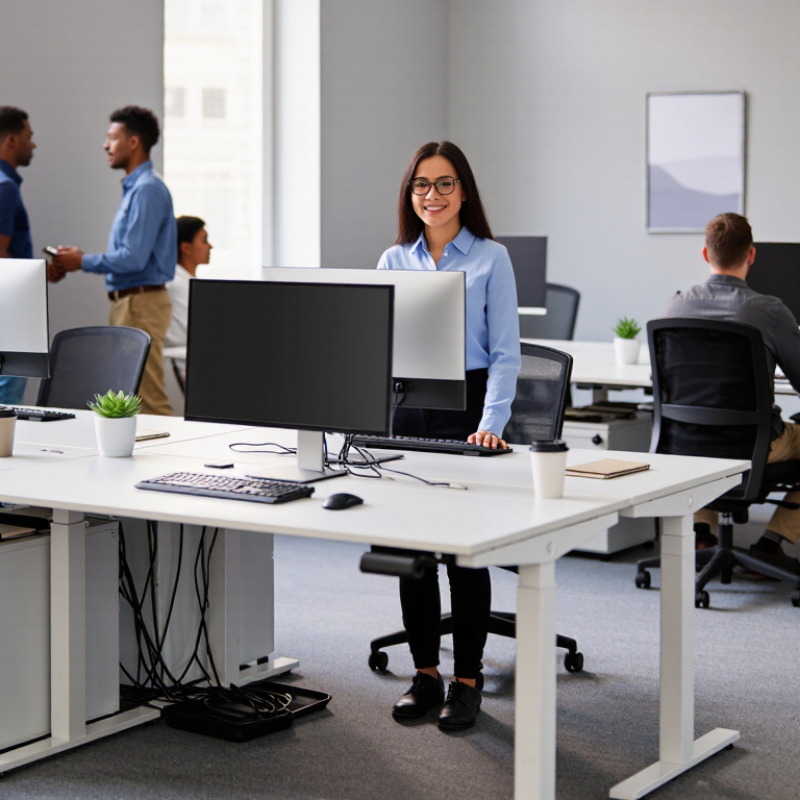
A sit-stand workstation is an adjustable desk built for changing posture during computer work. It lets a user raise or lower the desktop without moving the monitor, keyboard, or mouse. Most models use an electric motor or a manual lift. The goal is not standing all day. It is controlled variation. At 9:30, a worker may type while seated; after an hour, the desk can rise to elbow height. This change can reduce long, uninterrupted sitting periods.
The mechanism depends on correct adjustment. The monitor should sit near eye level, while elbows remain close to the body. Feet should rest comfortably, either on the floor or a stable support. A 2018 Cochrane review found sit-stand interventions reduced office sitting by about 100 minutes per workday in short-term trials. However, the review rated the evidence as low certainty. That limitation matters. OSHA workstation guidance also stresses neutral wrist positions, suitable screen height, and adjustable equipment. A higher desk alone cannot fix poor alignment.
In practice, users should alternate positions gradually. Ten to fifteen minutes of standing may feel more realistic than several hours. A soft mat can reduce foot fatigue, but it cannot solve every discomfort. The World Health Organization’s 2020 guidelines recommend 150–300 minutes of moderate physical activity weekly, so a desk is not a substitute for exercise. I may be too optimistic about compliance. People often raise the desk once, then forget it. A timer, short walking breaks, and personal adjustment make the system more useful.
How Sit-Stand Workstations Support Health and Daily Comfort
Why Choose Sit Stand Workstations for Your Office?
How Sit-Stand Workstations Support Health and Daily Comfort
A sit-stand workstation lets employees change position during long office hours. That simple adjustment can reduce prolonged sitting and ease stiffness in the lower back, hips, and shoulders. A practical setup keeps the screen near eye level, with elbows relaxed beside the body. Feet should rest firmly on the floor or a stable footrest. Small changes matter.
Alternating positions may support comfort, circulation, and steady energy across the day. However, standing continuously is not a healthier replacement for sitting. The body benefits from movement, not one fixed posture. A short walk to the printer, gentle shoulder rolls, or two minutes of stretching can improve the transition. The desk should move smoothly and quietly, without forcing the user to reach or twist.
Comfort is individual. Some employees may need more seated time because of fatigue, pregnancy, injury, or medical conditions. A gradual routine often works better than an ambitious schedule: sit for focused tasks, stand during calls, and change position before discomfort appears. It is not magic. Poor monitor height or unsupported wrists can still create strain. Regular workstation reviews, employee feedback, and guidance from a qualified ergonomics professional make the setup more reliable. Even then, habits may need adjustment after a busy week reveals what the original plan missed.
Why Choose Sit-Stand Workstations for Your Office?
How Sit-Stand Workstations Support Health and Daily Comfort
Evidence from a Cochrane systematic review found that sit-stand workstation interventions reduced workplace sitting by an average of 77 minutes per workday and increased standing by approximately 75 minutes per workday during short-term follow-up.
Source: Shrestha et al., “Workplace interventions for reducing sitting at work,” Cochrane Database of Systematic Reviews, 2018. Results represent pooled average changes and may vary by workplace and intervention.
Key Productivity and Flexibility Benefits for Office Employees
Why Choose Sit Stand Workstations for Your Office?
Key Productivity and Flexibility Benefits for Office Employees
Sit stand workstations give employees more control over how they work. A person can lower the desk for focused writing, then raise it during a short video meeting. This simple change can reduce long periods in one fixed posture. Ergonomic guidance commonly supports frequent position changes, rather than standing all day. Employees may also feel more alert after switching positions during repetitive tasks. Small movements matter. They can make a busy afternoon feel less physically draining.
These workstations can support different employees, tasks, and working preferences. A taller employee may need extra desk height, while another may prefer seated work after lunch. Shared offices benefit from easier adjustments between users. In practice, productivity gains are not automatic. Employees still need suitable monitor height, keyboard placement, and regular breaks. Standing through every email is not a clever solution. Some workers may need time to develop comfortable habits, and a few may dislike the equipment entirely. That feedback deserves attention, not dismissal. A practical office can offer guidance, test different height settings, and ask employees what improves their concentration. For example, a worker might stand while reviewing documents, sit during detailed spreadsheet work, and walk during a phone call. Flexibility works best when it follows the task.
Why Choose Sit Stand Workstations for Your Office? - Key Productivity and Flexibility Benefits for Office Employees
Evidence-based reference points showing how sit-stand workstations can support healthier movement patterns, workplace flexibility, comfort, and sustained office performance.
| Benefit Area | Measured Finding | Evidence-Based Data | Practical Office Benefit | Evidence Level |
|---|---|---|---|---|
| Reduced Sitting Time | About 1.10 hours per workday | A systematic review found that sit-stand desk interventions reduced workplace sitting by approximately 1.10 hours per day in the short term. | Employees can alternate between sitting and standing without leaving their workstation, helping break up prolonged sedentary periods. | Systematic review |
| Workday Flexibility | Two supported working positions | Height-adjustable workstations allow users to work from both seated and standing positions during the same task or workday. | Employees can select a posture that suits different activities, energy levels, meetings, and personal comfort preferences. | Ergonomic principle |
| Standing Time Increase | Approximately 122 additional minutes per day in one trial | A controlled workplace study reported increased standing time of about 122 minutes per day after a sit-stand workstation intervention combined with behavior support. | Supports more frequent posture changes while keeping employees engaged with computer-based work. | Controlled trial |
| Sitting Time Reduction in One Trial | Approximately 116 minutes per day | The same controlled study reported a reduction of approximately 116 minutes in daily workplace sitting among participating desk-based employees. | Provides a measurable way to evaluate whether workstation adoption is changing daily movement behavior. | Study-specific result |
| Productivity Protection | No consistent productivity penalty identified | Reviews of sit-stand workstation research have not found a consistent decline in work performance, although results vary by task, intervention length, and study design. | Organizations can introduce posture variation while maintaining normal computer-based duties and performance expectations. | Review finding |
| Ergonomic Adjustability | Keyboard and mouse can be repositioned with the worksurface | Ergonomic guidance recommends keeping the keyboard and mouse near elbow height, with relaxed shoulders and approximately 90–110 degrees of elbow flexion. | Correct adjustment helps employees maintain a more neutral upper-body position in both seated and standing modes. | Ergonomic guidance |
| Posture Variation | Movement variety rather than one fixed posture | Research and ergonomic guidance emphasize changing position regularly instead of remaining seated or standing continuously for long periods. | Encourages employees to alternate positions, take brief movement breaks, and avoid treating standing as a replacement for all sitting. | Best-practice guidance |
| Implementation Consideration | Benefits depend on adoption and correct setup | Study outcomes vary according to training, workstation adjustability, employee participation, and the amount of behavior support provided. | Short user training, individual setup checks, and clear posture-change guidance can improve practical results. | Implementation evidence |
Choosing the Right Sit-Stand Workstation for Different Workspaces
Choosing a sit-stand workstation starts with the room, not the desk. A compact home office needs a narrow, stable surface, quiet height adjustment, and clear cable space. A shared office needs easy presets, rounded edges, and enough knee room for different users. Measure elbow height while seated, then place the monitor’s top edge near eye level. Small details matter.
Evidence supports flexibility, but it does not promise a painless cure. The 2018 Cochrane Review found that sit-stand desks reduced workplace sitting by roughly 30 to 120 minutes daily in some studies. However, the evidence was rated low certainty. A British Journal of Sports Medicine expert statement recommends progressing toward two hours of standing or light activity during work, with a possible target of four hours. These figures are useful guides, not personal prescriptions.
For two-monitor work, choose a broad frame that resists wobbling during typing. In hot-desking areas, prioritize fast height changes and simple user controls. In practice, many people raise the desk but leave the keyboard too far away. Their shoulders then creep upward. A 25-minute seated period followed by five minutes of standing can be easier to maintain than constant movement. An anti-fatigue mat may help on hard floors, but it cannot fix poor footwear or excessive standing. I would treat current research as directional, because workstation studies often involve small groups and short follow-up periods. The best setup may still require adjustment after a busy week.
Best Practices for Adjusting and Using a Sit-Stand Desk Properly
Sit-stand workstations work best when adjustment becomes a routine, not a performance. Set the desk so your elbows remain near 90 degrees while your shoulders stay relaxed. Keep the monitor directly in front of you, with its top near eye level. The screen should sit about an arm’s length away.
Small changes matter. When standing, place both feet firmly on the floor and avoid locking your knees. Keep frequently used items close, so you do not repeatedly twist or lean.
Change positions before discomfort appears. A practical starting point is 30 to 45 minutes sitting, followed by 15 to 20 minutes standing. However, this schedule is not universal.
I have found that standing too long can create foot, calf, or lower-back fatigue, especially during the first week. Use a supportive mat, wear stable shoes, and shift your weight gently. If your wrists bend upward, lower the keyboard or bring it closer. Persistent pain, numbness, or weakness deserves professional medical advice rather than another desk adjustment.
Tips: Set a timer as a reminder, but listen to your body first. Keep cables clear of your feet. Test each position by typing for five minutes. Take short walking breaks. A perfect posture does not exist all day. The goal is comfortable movement, not rigid stillness.
Related Posts
-
2026 Best Private Office Furniture for Global Buyers
-

China Top Corporate Office Design Trends for Modern Business Needs?
-

Top 10 Office Interior Design Tips for a Productive Workspace?
-

2026 Top Office Storage Solutions for an Organized Workspace?
-
China Top Adjustable Height Desks for Modern Workspaces 2026?
-

Top 10 Trends in Commercial Office Interiors for a Modern Workspace?