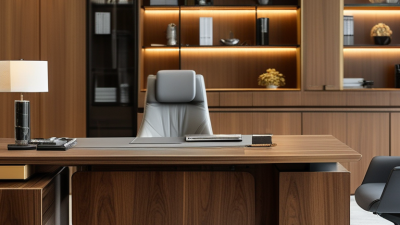


How to Choose the Best Adjustable Height Desks?

Choosing an adjustable desk is not simply a matter of picking a frame that moves. The right workstation should fit your body, tasks, room, and daily habits. A desk that rises smoothly but wobbles at full height can turn a useful feature into a daily annoyance. Small details matter.

The World Health Organization’s 2020 physical activity guidelines advise adults to limit sedentary time and replace it with physical activity of any intensity. A sit-stand desk can make changing positions easier, but it is not a substitute for movement or a guarantee of better health. A six-month workplace study reported by Texas A&M researchers found that employees using sit-stand workstations completed about 46% more calls than seated peers. That result is worth noting, not treating as a promise: the study involved a specific call-center setting, and outcomes may differ elsewhere.

This guide explains how to compare adjustable height desks by the measures that affect everyday use: height range, stability, lifting capacity, desktop size, controls, noise, and warranty. Check whether the lowest setting suits your seated posture and the highest setting lets you type with relaxed shoulders. Consider what will sit on the desktop, too; a monitor arm and laptop can add weight. A showroom test helps, but short trials may not reveal long-term comfort. There is no perfect desk for everyone. The goal is a well-supported choice that fits your space and makes position changes practical.
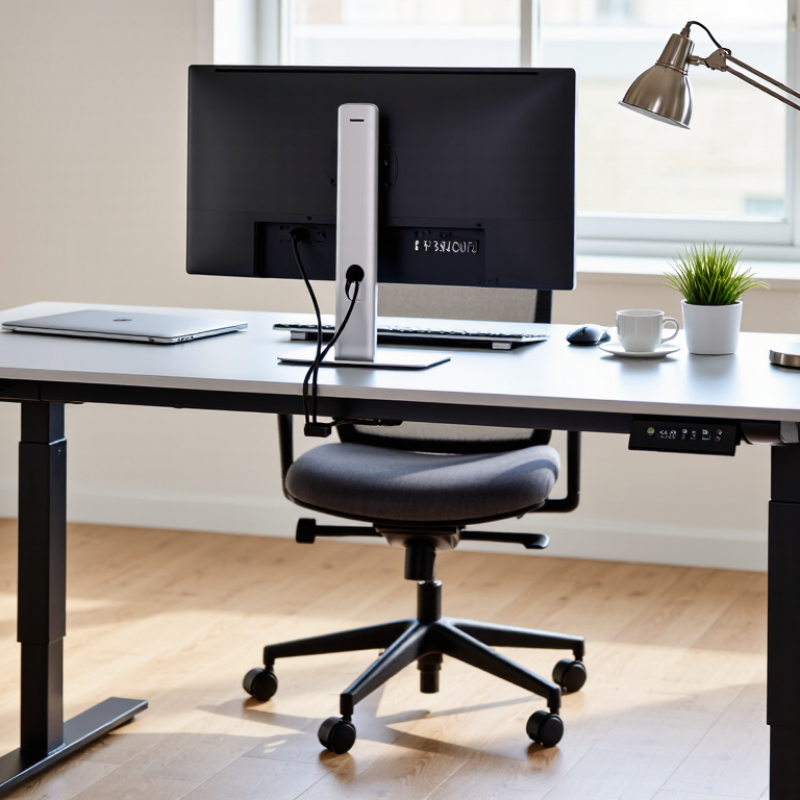
How to Choose the Best Adjustable Height Desks?

Understanding Adjustable-Height Desk Types and Mechanisms

Adjustable-height desks commonly use hand-crank, pneumatic, or electric mechanisms. Crank models raise the surface through gears and a handle; they are straightforward, but frequent adjustments take effort. Pneumatic desks use a gas spring and release lever, allowing quick movement with less force. Electric desks move at the touch of a button. Convenient, but they need power.

Electric frames may use one or two motors, while telescoping legs determine how far the work surface travels. Two-stage legs can suit many home offices; three-stage legs often provide a broader height range. Check the lowest and highest settings against your seated elbow height and standing posture, not just the advertised range. OSHA’s computer workstation guidance recommends keeping elbows close to the body and forearms roughly parallel to the floor. A desk that misses your fit is still a poor fit.

Mechanism choice affects whether you actually change positions. A 2018 Cochrane review found sit-stand desks reduced workplace sitting by about 100 minutes per workday in short-term trials, but the evidence was low-certainty. That figure is not a promise for every user. Motor count is an imperfect shortcut for quality: frame stability, lifting capacity, and adjustment noise matter too. Listen for wobble with a monitor on the desk, and check whether the controls are easy to reach.

One detail is easy to overlook. The best mechanism is the one you will use.

Assessing Desk Height Range, Stability, and Weight Capacity

How to Choose the Best Adjustable Height Desks?

Assessing Desk Height Range, Stability, and Weight Capacity

A desk’s height range matters only if it fits your body and your tasks. When seated, your feet should rest flat, with elbows near desk level. Standing, your shoulders should stay relaxed while your forearms reach the keyboard comfortably. Check the minimum and maximum heights, not just the advertised range. A thick desktop or tall keyboard may change the fit. Small detail. Measure your usual chair and monitor setup before choosing.

Stability deserves a practical test. Raise the desk close to its highest setting, then type and lightly press the front edge. Notice any wobble, rocking, or screen shake. A wider base and sturdy frame can help, but construction details vary. A showroom floor may also feel firmer than a carpet at home, so consider your own flooring. No specification sheet fully predicts how a desk will feel during a long workday.

Check weight capacity against everything the frame must lift: desktop, monitors, arms, speakers, and daily equipment. Leave some margin rather than choosing a desk that barely meets the stated limit. Also confirm whether the listed capacity refers to lifting weight or a stationary load; these figures may differ. It is tempting to compare numbers alone. I would pause there: a high capacity cannot make an unsuitable height range or unstable frame comfortable.

Comparing Desktop Sizes, Materials, and Workspace Needs

Before choosing an adjustable-height desk, measure the room with the chair pulled out and drawers open. A 48-inch-wide top can suit a laptop, notebook, and small lamp. Add a monitor and papers, and the same surface may feel cramped. Measure your equipment, too. Leave space for cables and a clear area for writing.

Desktop material affects both daily use and upkeep. Solid wood feels warm and can often be refinished, but it may cost more and needs care around spills. Laminate is generally easy to wipe clean, though damaged edges can be difficult to repair. A bamboo top offers a firm surface, but its finish and construction vary. Check the top’s weight and thickness against the desk frame’s stated capacity. I once underestimated a monitor arm’s reach; it crowded the usable surface more than expected.

Match the desk to how you actually work, not an idealized setup. A shared workspace may need a compact top that leaves room for walking. For two monitors, check their combined width and the distance you prefer to sit from them. If you switch between sitting and standing, test whether the desk stays steady at your highest setting. Measurements can still miss something. A floor mat or uneven flooring may change how the desk feels, so leave a little room to adjust.

Evaluating Controls, Power Options, and Additional Features

How to Choose the Best Adjustable Height Desks?

Evaluating Controls, Power Options, and Additional Features

A good control panel should feel simple while you are seated or standing. Look for clear buttons, a responsive handset, and memory presets that save your preferred heights. A child lock can prevent accidental movement in shared spaces. Anti-collision sensors are useful, but they are not a substitute for checking that cables and objects are clear before moving the desk. The trade-off is easy to miss: extra buttons do not always mean better daily use.

Power options matter when your desk sits away from a wall outlet. Check whether built-in USB ports provide enough charging power for your devices, and confirm the desk still has a standard outlet nearby. A cable tray can keep a laptop cord from dangling as the surface rises. A 2018 Cochrane review found that sit-stand desks reduced workplace sitting by about 100 minutes per day in short-term trials; the evidence was low quality, so treat this as a potential benefit, not a guarantee.

Tips: Test the controls in person if possible. Raise the desk with a monitor and laptop in place. Notice any wobble, motor noise, or snagging cords. Then check whether the saved settings match your actual seated and standing posture. Small details count.

Matching Desk Costs, Warranty, and Assembly to Your Needs

Treat price as the cost of the complete setup, not just the desk frame. Add the tabletop, delivery, cable management, and assembly fees. Compare desks with similar dimensions, height range, and lifting capacity; otherwise, the cheaper quote may be misleading. A 2018 Cochrane review reported that sit-stand desks reduced workplace sitting by about 100 minutes per workday in short-term studies, though the evidence was limited. That supports considering usability, but it does not prove that a more expensive desk is better.

Read the warranty line by line. Check whether it covers the frame, motor, controller, and replacement parts, and whether labor or shipping is excluded. Small print matters. A long frame warranty may offer little comfort if a failed motor is costly to replace. Warranty length is an imperfect quality measure; repair speed matters too.

Assembly can change the real price and the first day’s experience. Check whether the package includes clear instructions and the required tools, and measure doorways before delivery. A heavy tabletop may need two people to lift safely. If you assemble it yourself, leave room to turn the desk upright without scraping a wall or trapping cables. Compare the full cost, coverage, and setup effort against your space and budget—not against the most impressive specification.

Choosing the right tier: Budget desks can cost less upfront but may have shorter warranties and take longer to assemble. Mid-range and premium options may offer longer coverage and simpler setup. These figures are illustrative planning estimates, not brand-specific guarantees; check the product listing for exact prices, warranty terms, and assembly requirements.